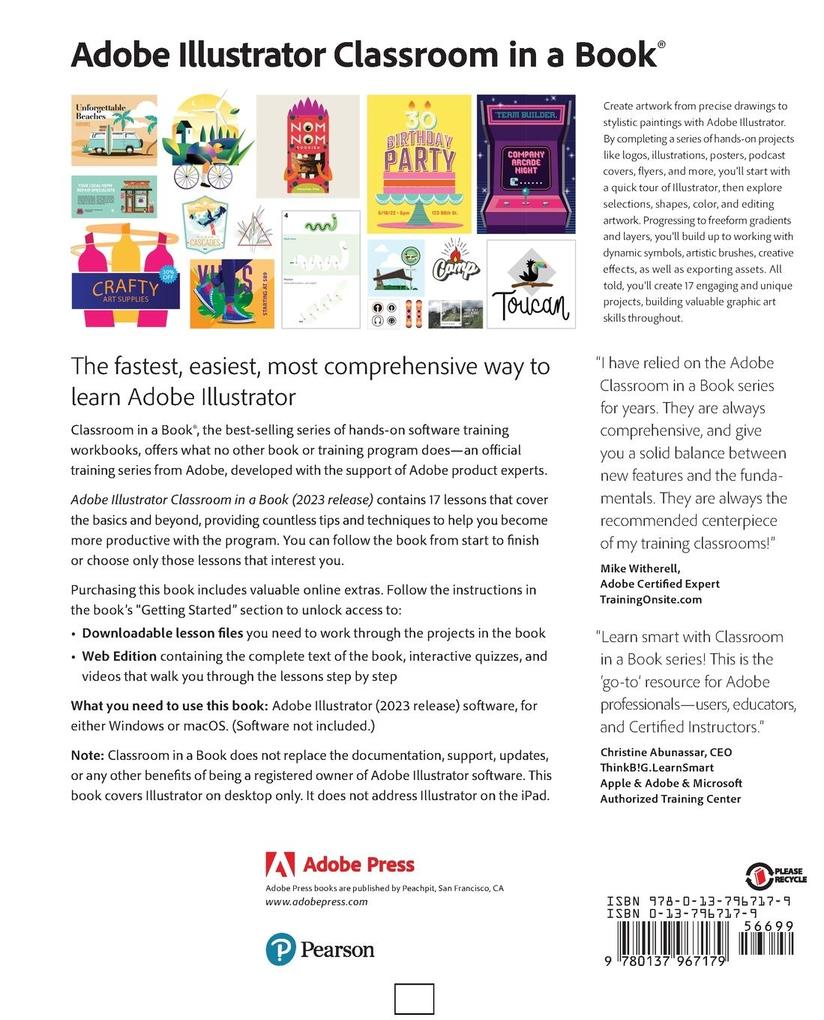
Build valuable graphic art skills and create digital artwork using Adobe IllustratorAdobe Illustrator Classroom in a Book (2023 release) uses real-world, project-based learning to cover the basics and beyond, providing countless tips and techniques to help you become more productive with the program. For beginners and experienced users alike, you can follow the book from start to finish or choose only those lessons that interest you. Learn to:
- Create artwork, from precise drawings to stylistic paintings
- Make logos, illustrations, posters, podcast covers, flyers, and more
- Explore selections, shapes, and color
- Progress to freeform gradients and layers
- Work with dynamic symbols, artistic brushes, and creative effects
- Efficiently export assets for the web, print, and more
Classroom in a Book®, the best-selling series of hands-on software training workbooks, offers what no other book or training program doesan official training series from Adobe, developed with the support of Adobe product experts.
Purchasing this book includes valuable online extras. Follow the instructions in the book's "Getting Started" section to unlock access to:
- Downloadable lesson files you need to work through the projects in the book
- Web Edition containing the complete text of the book, interactive quizzes, and videos that walk you through the lessons step by step
What you need to use this book: Adobe Illustrator (2023 release) software, for either Windows or macOS. (Software not included.)
Note: Classroom in a Book does not replace the documentation, support, updates, or any other benefits of being a registered owner of Adobe Illustrator software. This book covers Illustrator on desktop only. It does not address Illustrator on the iPad.
Inhaltsverzeichnis
Getting StartedWhat's New in Adobe Illustrator (2023 Release) A Quick Tour of Adobe Illustrator (2023 Release) 1 Getting to Know the Work Area2 Techniques for Selecting Artwork3 Make a Logo with Shapes4 Editing and Combining Shapes and Paths5 Transforming Artwork6 Using the Basic Drawing Tools7 Drawing with the Pen Tool8 Using Color to Enhance Artwork9 Adding Type to a Project10 Organizing Your Artwork with Layers11 Gradients, Blends, and Patterns12 Using Brushes to Create an Ad13 Exploring Creative Uses of Effects and Graphic Styles14 Creating Artwork for a T-Shirt15 Placing and Working with Images16 Sharing Projects